
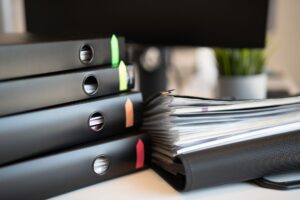
Most households have important documents scattered everywhere. A folder in a kitchen drawer, a shoebox in the closet, PDFs buried somewhere in an email inbox nobody’s searched in years. Learning how to organize important home documents properly comes down to three things: keeping them findable in a hurry, protecting them from damage or loss, and backing them up somewhere outside the house. None of that requires anything complicated. A labeled file box or binder, paired with digital copies stored somewhere secure, covers nearly every household completely.
This post may contain affiliate links. If you click through and make a purchase, I may earn a small commission at no extra cost to you.
Start by gathering everything into one place
Before you build any kind of system, pull every document you can find into one pile, whatever’s in drawers, filing cabinets, closet boxes, wherever. Resist the urge to sort as you go. The first pass is just collection. Once everything’s actually in front of you, you’ll have a realistic sense of what you’re working with and which categories make sense for your household specifically, rather than guessing in advance.
What to keep, and for how long
Not everything deserves a permanent home. Knowing what to hold onto and what to shred cuts the volume way down and makes the whole system easier to maintain long term.
Some things should never be tossed: birth certificates, Social Security cards, passports, marriage and divorce certificates, adoption papers, military records, death certificates, and legal documents like wills or power of attorney. These are irreplaceable, so they belong in your most secure storage.
Other documents matter for as long as you own something tied to them, property deeds, vehicle titles, home improvement records, and warranties. Home improvement records are worth hanging onto even after you sell, since they affect your cost basis for tax purposes.
Tax returns and their supporting paperwork are worth keeping for seven years. The IRS technically has up to six years to audit in cases of underreported income, so seven gives you a safe margin.
Pay stubs, bank statements, and utility bills only need about a year unless you’re using them for an upcoming tax filing or loan application, and most of these are accessible digitally through your bank or employer anyway, so keeping paper copies is often unnecessary.
Anything with personal information that you genuinely don’t need anymore, old credit card statements, expired insurance cards, outdated medical paperwork, should just get shredded rather than sitting in a drawer indefinitely.
Build categories that actually match your life
A basic set of categories covers most households, though you should adjust based on what you actually have on hand:
Identity and legal covers birth certificates, passports, Social Security cards, wills, power of attorney, and marriage or divorce records. Home and property covers your mortgage, lease, deed, home insurance, improvement records, and appliance warranties. Financial covers tax returns, investment statements, loan documents, and recent bank statements. Medical covers insurance cards, vaccination records, and a basic medical history for each person in the household. Vehicle covers your title, registration, insurance, and maintenance records. Employment covers your current contract, recent pay stubs, and any retirement plan documents.
Give each category its own labeled folder or section, a simple color-coded system inside a file box or binder is plenty. The real test is whether anyone in the household can find a specific document in under two minutes without having to ask.
Where to actually store the physical copies
Anything irreplaceable, birth certificates, Social Security cards, passports, deeds, wills, belongs in a fireproof, waterproof document box or safe. These run about $30 to $50 and offer real protection that a regular filing cabinet or desk drawer just doesn’t provide.
Everything else can live in a standard filing cabinet or file box, as long as it’s kept somewhere consistent and easy to reach. A cabinet that’s inconvenient tends to become a cabinet that stops getting used.
A safe deposit box at a bank works for the truly irreplaceable stuff, though it comes with one drawback: you can only get to it during bank hours. If there’s a document you might need in an emergency outside of that window, it’s worth keeping a copy at home and the original in the box, or the reverse, depending on what the document is.
One thing worth avoiding entirely: storing important paperwork in a garage, basement, or attic if those spaces swing in temperature or humidity. Paper breaks down faster than most people expect in those conditions.
Back everything up digitally too
Physical documents can be destroyed in a fire, flood, or theft in a matter of minutes, which is exactly why digital backups matter. Scan or photograph everything important and store the files somewhere separate from the originals, a secure cloud service like Google Drive or iCloud with two-factor authentication, an encrypted USB drive kept at a family member’s house or in a safe deposit box, or a secure, dedicated email folder.
File naming makes a bigger difference than people expect. Something like “2024-tax-return-federal” is easy to find later. “scan0047” is not, and you’ll end up opening a dozen files just to locate the one you need. For anything containing sensitive information, Social Security numbers, account details, make sure wherever you’re storing it has real password protection. Cloud storage with two-factor authentication is generally secure enough for this.
Keep the essentials within easy reach
A handful of documents tend to get needed in a hurry: insurance cards, a copy of your will, vehicle registration, a home inventory for insurance claims. These don’t need to be buried deep in the filing system. Keep them in a clearly labeled folder at the front, or at least note exactly where they live so anyone in the household can grab them without searching. If you have kids, their vaccination records and school paperwork belong in this same easy-access group, since those tend to get requested more often than people expect.
Make sure someone else knows where everything is
A document system only works if more than one person knows it exists. If something happens to you, a spouse, family member, or someone you trust should be able to find your will, insurance policies, and financial documents without tearing the house apart looking for them.
It’s worth writing a one-page summary of what documents exist, where the physical copies live, and where the digital backups are stored, then sharing it with whoever would need that information. Keep a copy with the documents themselves too.
Keeping the system running
Once a year, go through everything: clear out what no longer needs keeping, file in whatever’s accumulated since your last pass, and confirm your digital backups are current. Tax season is a natural trigger for this since you’re already handling new paperwork anyway.
The habit that keeps the whole thing from falling apart is simple: file new documents as they come in rather than setting them aside “for later.” A pile of unsorted paperwork is usually how these systems quietly break down.
How to organize important home documents really comes down to a system simple enough that you’ll actually maintain it, one that keeps things safe, findable, and backed up without turning into a chore.